
- V1.01.22 – Available for item number: 00178611
- V1.01.19 – Available for item numbers: 00178612 and 00178613
00178613
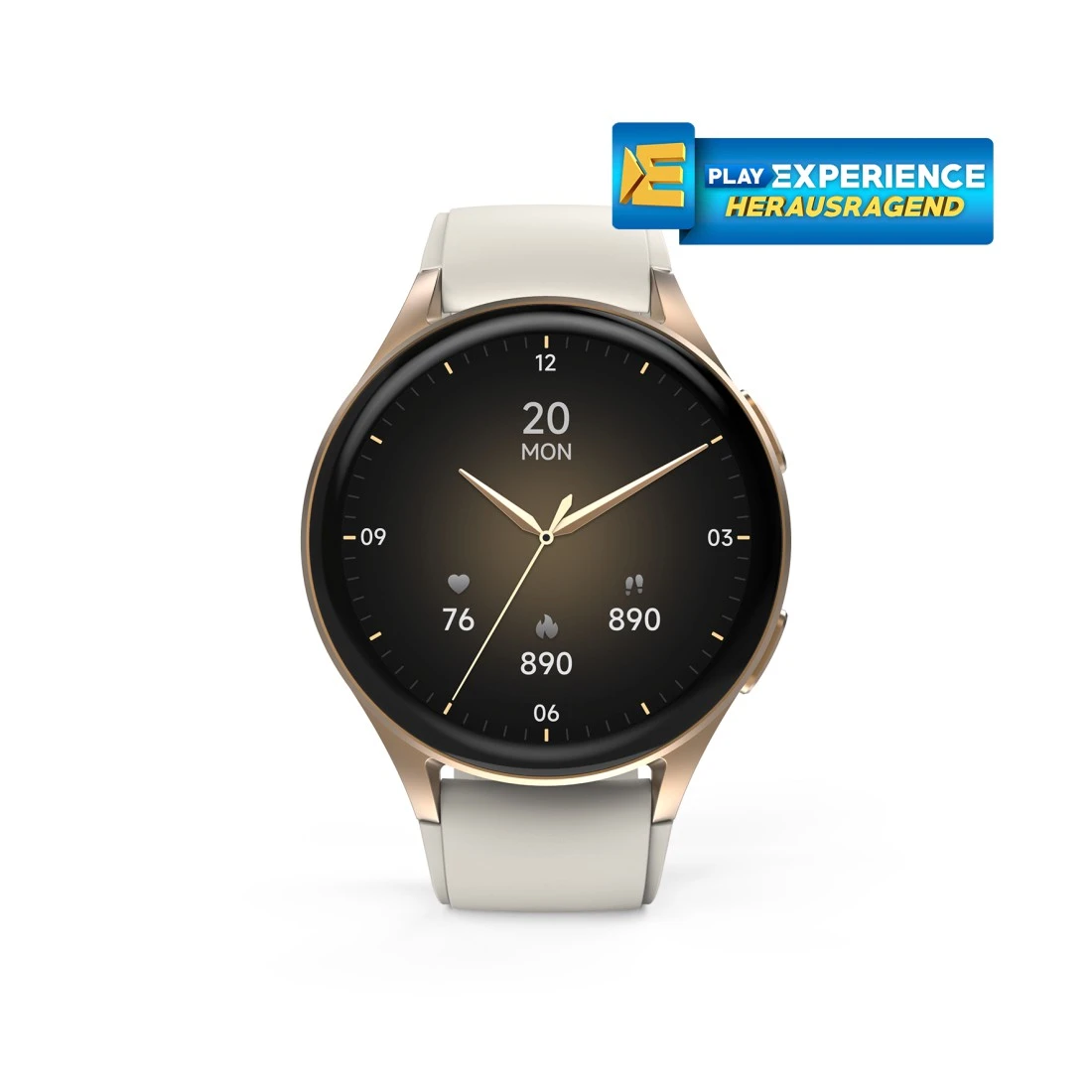
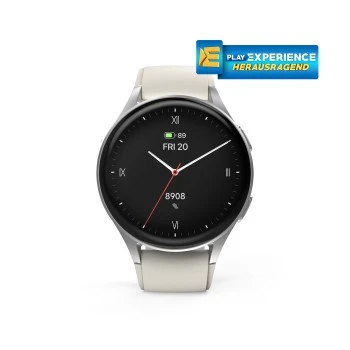
Hama "8900" Smart Watch, GPS, AMOLED 43 mm, Tel. Function, Alexa, Round, gold
Solutions & tips
Help & Guides
Downloads
| Name | Operating System | required Version | Download |
|---|---|---|---|
| Hama FIT Move | Android | 6.0 or higher |
|
| Hama FIT Move | iOS | 12.0 or higher |
|
Product Updates
FAQs
The measurement functions for pulse, blood pressure, heart rate and oxygen provide you with orientation and help you to keep an eye on your health and activity. They are only suitable for general wellness and fitness purposes. The results are not intended for the detection, diagnosis (e.g. cardiac arrhythmia) or treatment of diseases or complaints. Please consult a medical specialist for detailed examinations and diagnoses.
Please check your watch for any firmware updates and install them. Make sure you always keep the software on your smart watch up to date.
The time cannot and does not have to be set manually. Once you have installed the app that comes with the watch and then paired and synchronised the watch with the app, the time, date and language settings are automatically transferred from the smartphone to the watch.
Check in the device settings of the Hama Fit Move app whether the watch is displayed as connected. If not, you can connect it to the phone as described in the operating instructions.
If you have paired the smart watch directly with your smartphone via Bluetooth, first disconnect this connection in your phone's Bluetooth settings and then pair the watch with the smartphone via the Hama app.
Further help on this topic can be found in the operating instructions and in the help section of the Hama Fit Move app.
If you have paired the smart watch directly with your smartphone via Bluetooth, first disconnect this connection in your phone's Bluetooth settings and then pair the watch with the smartphone via the Hama app.
Further help on this topic can be found in the operating instructions and in the help section of the Hama Fit Move app.
Yes, the energy-saving mode allows you to achieve a significantly longer usage time - up to 25 days. You can activate this mode, in which most of the functions are deactivated, via the Hama Fit Move app in the settings.
From 30 June 2025, the "Google Fit" app will no longer work. In order not to lose previous training data, you should transfer your data from Google Fit to Health Connect.
If your smart watch does not vibrate despite being set to ""Strong vibration"", the following steps may help:
1. Make sure that both your watch and the app on your smartphone are up to date.
2. The ""Do not disturb"" mode (DND) could be activated. This prevents the watch from vibrating or displaying notifications. You can deactivate the mode in the app or directly on the watch:
In the app: Check whether a time period is set for DND mode (e.g. during your bedtime). Adjust the times as required.
On the watch: Activate the display by tapping the top wheel (crown) and swipe downwards. Look out for the symbol with the crescent moon at the top left. If it is highlighted in red, the mode is active. Tap the icon to deactivate the mode.
If the problem persists, please contact our customer service team.
1. Make sure that both your watch and the app on your smartphone are up to date.
2. The ""Do not disturb"" mode (DND) could be activated. This prevents the watch from vibrating or displaying notifications. You can deactivate the mode in the app or directly on the watch:
In the app: Check whether a time period is set for DND mode (e.g. during your bedtime). Adjust the times as required.
On the watch: Activate the display by tapping the top wheel (crown) and swipe downwards. Look out for the symbol with the crescent moon at the top left. If it is highlighted in red, the mode is active. Tap the icon to deactivate the mode.
If the problem persists, please contact our customer service team.
No matches found
Try searching for another term, check the spelling, or adjust your filters.
Technical details
Technical Specs
| Design (Colour, Pattern, Motif, Series) | Colour bracelet/housing | Beige/Gold |
| Connectivity (Connection) | Connection | Bluetooth |
| Electrospecific Properties | Bluetooth Version | 5.3 |
| Display brightness | 450 Nits | |
| Resolution | 466 x 466 Pixel |
| Physical Properties | Additional Functions | Activity detection, Alarm Clocks, Always-On-Display, Appointment reminder, BEIDOU, BT-Call, Breathing exercise, Camera control, Clock, Compass, Date, Dials, Do not disturb Mode, Drink Reminder, Finger-Touch Sensor, GALILEO, GLONASS, GPS, Heart rate alarm, Menstrual cycle, Motion reminder, Music control, Notifications, Phone Search, Pomodoro timer, Power saving mode, Running courses, Screen brightness adjustable, Sportmodi, Stopwatch, Timer, Torches, Training protocol, Weather Display, World clock |
| IP protection class | IP68 (protection against dust entry and permanent immersion) | |
| Material Body | Aluminium Alloy | |
| Material bracelet | Silicone | |
| Measuring Function | Aerober training effect, Ambience noices (noise level), Average heart rate, Barometric altimeter, Blood oxygen, Body energy, Calorie burning, Distance, Heart rate, Heart rate at rest, Heart rate category, Heart rates variability (HRV), Max. oxygen intake (VO2max), Pedometer, Recommended recovery time, SWOLF, Sleep score and stages of sleep, Speed, Stress, Tempo, Training time | |
| Pixel density | 353 ppi | |
| Screen Type | Amoled | |
| Special Feature | Waterproof | |
| Type | Smartwatch | |
| Type of Closure | Pin Buckle | |
| Voice assistant | Amazon Alexa |
| Size & Weight | Case size | 43 mm |
| Display Size | 3,35 cm (1,32") | |
| W x H x L | 4.3 x 1 x 4.9 cm | |
| Strap length at least | 13.5 cm | |
| Strap length maximum | 20.5 cm | |
| Strap Width | 1.8 cm | |
| Weight | 40 g |
| Energy | Average battery life | ca. 6 - 8 days |
| Battery Capacity | 300 mAh | |
| Battery Type | Lithium Polymer Battery | |
| Charging Method | Connection |
| Field of Application | Gender | Unisex |
| Usage | Activity Tracker |
| Abvermarktung Rumänien | Sale Romania | Sale Romania |
System Requirements
- From Android 6/iOS 12
Note for Consumers
The smart watch is only protected against the penetration of splashing water such as when washing hands or rainfall. Do not wear when swimming or carrying out other activities in water since the IP code does not take into account water pressure.
After wearing for a long period, clean with a slightly damp cloth.