00220860
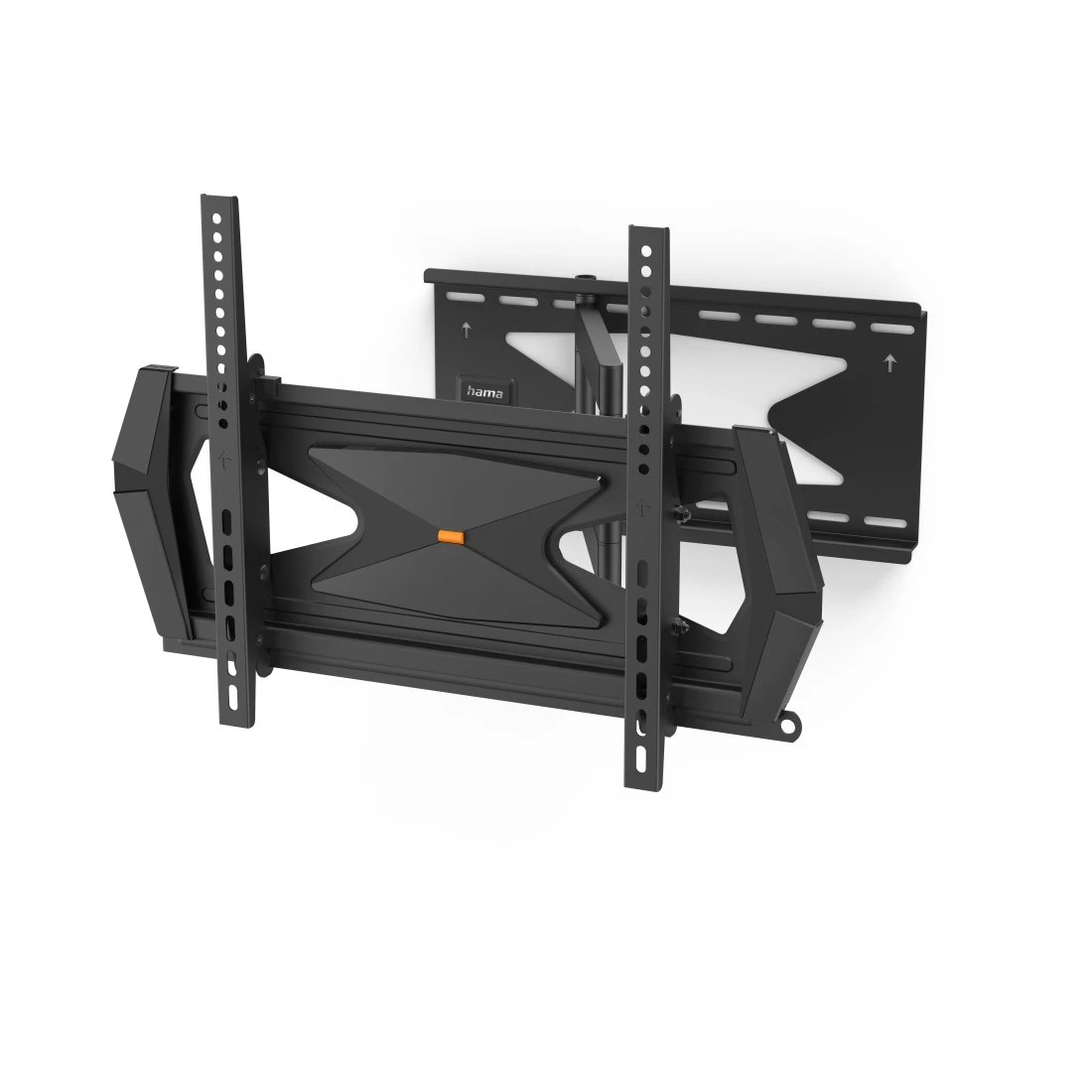
Hama TV Wall Bracket, Swivel, Tilt, Theft Protection, 165 cm (65"), 40 kg

FAQs
Loosen the corresponding fastening screws and set the desired rotation. Then tighten the screw connection only so far that you can still adjust the TV by hand - i.e. do not tighten it completely. After releasing, the flat screen TV should then remain in the position you selected. This ensures that you can make minor changes to the position of the TV set at any time without using tools.
No matches found
Try searching for another term, check the spelling, or adjust your filters.
Technical details
Technical Specs
| Design (Colour, Pattern, Motif, Series) | Colour | Black |
| Shade of colour | Black |
| Quality | Quality | Professional |
| Physical Properties | Hole Size Attachment | Up to M8 |
| Material | Steel | |
| Maximum Load Capacity | 40 kg | |
| Maximum swivel range | 180 ° | |
| Model | TV | |
| Number of joints | 3 | |
| Projection maximum | 55 cm | |
| Projection minimum | 8.1 cm | |
| Rotation | 8 ° | |
| Tilt +/- | 5 / 10 ° |
| Size & Weight | External Dimension (Height) | 44 cm |
| External Dimension (Width) | 64 cm | |
| Mounting Plate (Length) | 24.6 cm | |
| Mounting Plate (Width) | 48.5 cm | |
| Screen Dimensions | 81 cm (32"), 84 cm (33"), 86 cm (34"), 89 cm (35"), 91 cm (36"), 94 cm (37"), 97 cm (38"), 99 cm (39"), 102 cm (40"), 104 cm (41"), 107 cm (42"), 109 cm (43"), 112 cm (44"), 114 cm (45"), 117 cm (46"), 119 cm (47"), 122 cm (48"), 123 cm (49"), 127 cm (50"), 129 cm (51"), 132 cm (52"), 137 cm (54"), 140 cm (55"), 142 cm (56"), 145 cm (57"), 147 cm (58"), 152 cm (60"), 155 cm (61"), 161 cm (63"), 163 cm (64"), 165 cm (65") | |
| VESA (from-to) | 300x200 - 400x400 | |
| VESA Standard | 300 x 200, 300 x 300, 400 x 200, 400 x 400 |
| Field of Application | Field of Application | Public |
| Recommended Maximum Screen Size | 165 cm (65") | |
| Recommended Minimum Screen Size | 81 cm (32") | |
| Recommended Screen Size | 81 - 165 cm (32"- 65") | |
| Suitable for | TV | |
| Version | Swivelling/Tilting |
Note for Consumers
Padlock not included in the extent of delivery.
We recommend using a padlock with a shackle diameter of 4 - 8 mm.
The bracket can only be unlocked and the TV removed if no padlock is attached.
In addition to the various installation accessories delivered in the package, we also recommend the following tools: drill, pencil, screwdriver, power screwdriver, measuring tape, spirit level.
To be able to use the full range of motion, route the cable to the fully extended TV wall bracket and ensure that there is sufficient room for the cable to move.