00176650
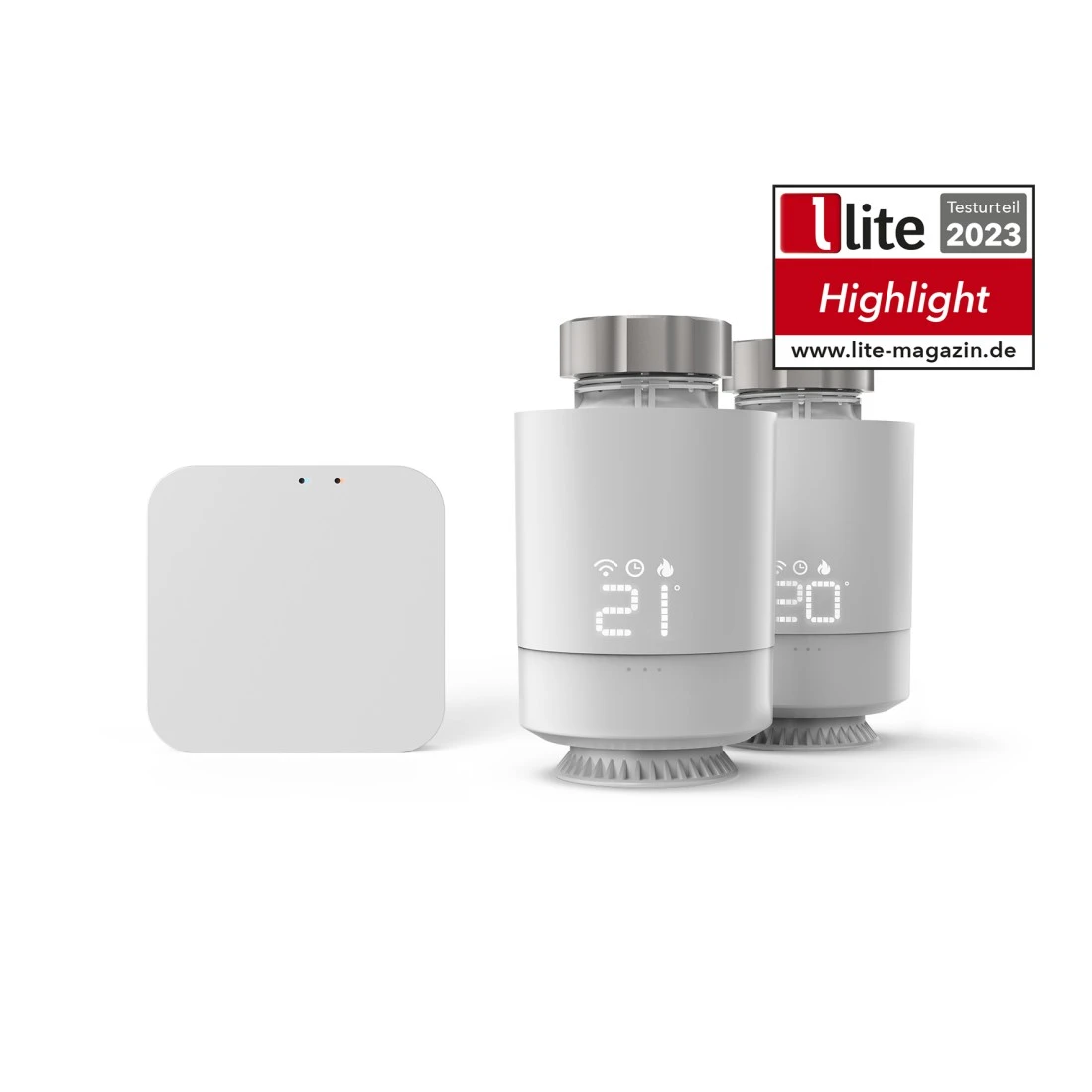
Hama Smart WLAN heating control, 2 x smart radiator thermostats + central contro
Solutions & tips
Help & Guides
Downloads
Declaration of Conformity

App Manual
FAQs
Yes, you can easily set the heating directly on the radiator thermostat. Simply turn the thermostat to the desired temperature. This manual change is also possible when the time programme is set and is active until the next time the programme mode is changed.
Unfortunately, it is not possible to set a maximum temperature limit directly in the current version of the heating control system. However, the Hama Home app offers you a helpful alternative: the "Child safety lock can be activated on the controller" function. If this function is activated, the smart thermostats cannot be controlled manually, which prevents the temperature from being accidentally turned too high. To activate the childproof lock, press and hold the thermostat control dial for about 5 seconds until "LC" appears on the display. To deactivate the childproof lock, press the control dial again for 5 seconds. This function is particularly useful for preventing someone from raising the temperature above a value you have set.
To get the most out of our smart radiator thermostats, it is essential to use the Hama Zigbee control centre. This ensures smooth and efficient control of your heating system. We cannot guarantee the compatibility of our radiator thermostats with gateways or devices from other manufacturers.
It is not unusual for the room temperature displayed by the WLAN radiator thermostat to deviate from the actual room temperature. This is because the thermostat measures the temperature directly at the heater. To adjust the room temperature more precisely, proceed as follows:
1. Open the Hama Home app and navigate to the settings.
2. Swipe up at the bottom of the app to find advanced options.
3. Select the ""Temperature correction"" option here.
4. Measure the room temperature with a separate room thermometer or a weather station. For example, the room thermometer shows 21°C, while the smart thermostat displays 23°C. In this case, you should set a temperature compensation of -2°C to improve accuracy.
If this method does not solve the problem, we recommend that you contact Hama Product Advice directly. Our support team is ready to offer you a customised solution for your request.
1. Open the Hama Home app and navigate to the settings.
2. Swipe up at the bottom of the app to find advanced options.
3. Select the ""Temperature correction"" option here.
4. Measure the room temperature with a separate room thermometer or a weather station. For example, the room thermometer shows 21°C, while the smart thermostat displays 23°C. In this case, you should set a temperature compensation of -2°C to improve accuracy.
If this method does not solve the problem, we recommend that you contact Hama Product Advice directly. Our support team is ready to offer you a customised solution for your request.
The service life of the batteries in our smart radiator thermostats depends on how often they are used. Under normal operating conditions, you can expect a service life of around 6 to 8 months. As soon as the battery capacity is running low, you will receive a notification in the Hama Home app. You will also see a battery symbol or notice on the thermostat itself. These functions are available in devices from variant V2 and help you to ensure that the battery is replaced in good time. Rechargeable batteries cannot be used.
No, it is not possible to set the temperature display on the WLAN heating controller so that it is constantly lit. The display is designed to only light up for a few seconds when the control dial is operated. This design helps to save energy and extend the battery life of the device.
Yes, Hama provides regular firmware updates. These updates can be conveniently downloaded and installed via the Hama Home app. To carry out an update, follow these simple steps:
1. Start the Hama Home app on your smartphone/tablet.
2. Navigate to ""Profile"" -> ""Settings"" -> ""About"".
3. Scroll to the ""Check for updates"" menu item.
4. Follow the instructions in the app to start and complete the update.
By regularly updating the firmware, you ensure that your Smart Home heating system is always up to date in terms of functionality and security.
1. Start the Hama Home app on your smartphone/tablet.
2. Navigate to ""Profile"" -> ""Settings"" -> ""About"".
3. Scroll to the ""Check for updates"" menu item.
4. Follow the instructions in the app to start and complete the update.
By regularly updating the firmware, you ensure that your Smart Home heating system is always up to date in terms of functionality and security.
No, that's not necessary. With the smart window contact switch from Hama, you have the option of creating a scene in the Hama Home app that links it to several radiator thermostats at the same time. This allows you to control your heating system efficiently and conveniently, for example by automatically lowering all linked radiators as soon as a window is opened.
Yes, the smart radiator thermostats also work without WLAN. The settings previously programmed in the Hama Home app remain active and continue to be executed even if the Wi-Fi is temporarily switched off. However, it should be noted that remote control or adjustment of the settings via the app is not possible without an active WiFi connection.
Yes, the smart radiator thermostats continue to work even if the WiFi bridge (control centre) is switched off. You can carry out the programming in the Hama Home app even without an active connection to the WiFi bridge. However, it should be noted that the thermostats will continue to search for the control centre during this time, which can lead to increased battery consumption.
No, an additional WLAN network is not absolutely necessary for operating the Smart Home heating control system in a multi-storey house. However, utilisation depends heavily on the range of your existing WiFi network, the distance of the heating control unit to the router and the wall thickness. In some cases, it can be helpful to use WiFi repeaters to improve the WiFi signal strength and range on different floors and thus ensure optimum functionality of the heating control system.
If your smart radiator thermostat no longer works, we recommend that you first check the batteries and replace them if necessary. The thermostat requires 2 x AA batteries. If the problem is not solved by changing the battery, please contact the Hama product advice centre directly. They will provide you with personalised support to solve the problem.
You can connect up to 10 WLAN radiator thermostats with a single heating control centre from Hama. If you would like to integrate more heating controllers into your system, you have the option of purchasing an additional hub from Hama's technical service. In the Hama Home app, there is no limit to the number of gateways you can add, allowing for flexible expansion of your system.
The maximum distance between your router and the smart heating control centre (hub) should be 10 metres. With regard to the distance between the control centre and the individual WiFi radiator thermostats, a maximum distance of 30 metres is recommended. Factors such as wall thickness and other signal interference can influence the actual range.
The smart heating thermostats from Hama work with an efficient hysteresis of approx. 1.5 °C so that the valve is not opened or closed with every small draught. This means that the valve does not react immediately within a tolerance range of 1.5 °C above or below the set temperature. This means that additional heating is applied only when necessary, and the heating does not operate when the setpoint is maintained.
Aucun résultat
Essayez de rechercher un autre terme, vérifiez l'orthographe ou ajustez vos filtres.
Détails techniques
Détails Techniques
| Design (Couleur, Style, Motif, Série) | Couleur | Blanc |
| Couleurs disponibles | Blanc |
| Connexions | Transmission | WiFi/Zigbee |
| Type de plug de connexion d'alimentation | Euro Plug, Type C (CEE 7/16) |
| Caractéristiques techniques | Assistant vocal | Amazon Alexa/Apple Siri (Shortcuts)/Google Home |
| Domaines d'utilisations | Contrôle de | Radiateurs |
| Logiciel de contrôle | Hama Home |
System Requirements
- Operating system: Android 8.1 and iOS 16.1 or later
Note for Consumers
Amazon Alexa:
the required Alexa skill "Hama Home" must be activated in the Alexa app for this. The user account for the Hama Home app is then connected to Alexa.
This allows the devices to be controlled via voice control (switching on/off).
Google Assistant:
the "Hama Home" service must be activated in the Google Home app for this. The user account for the Hama Home app is then connected to Google.
This allows the devices to be controlled via voice control (switching on/off).