00131898
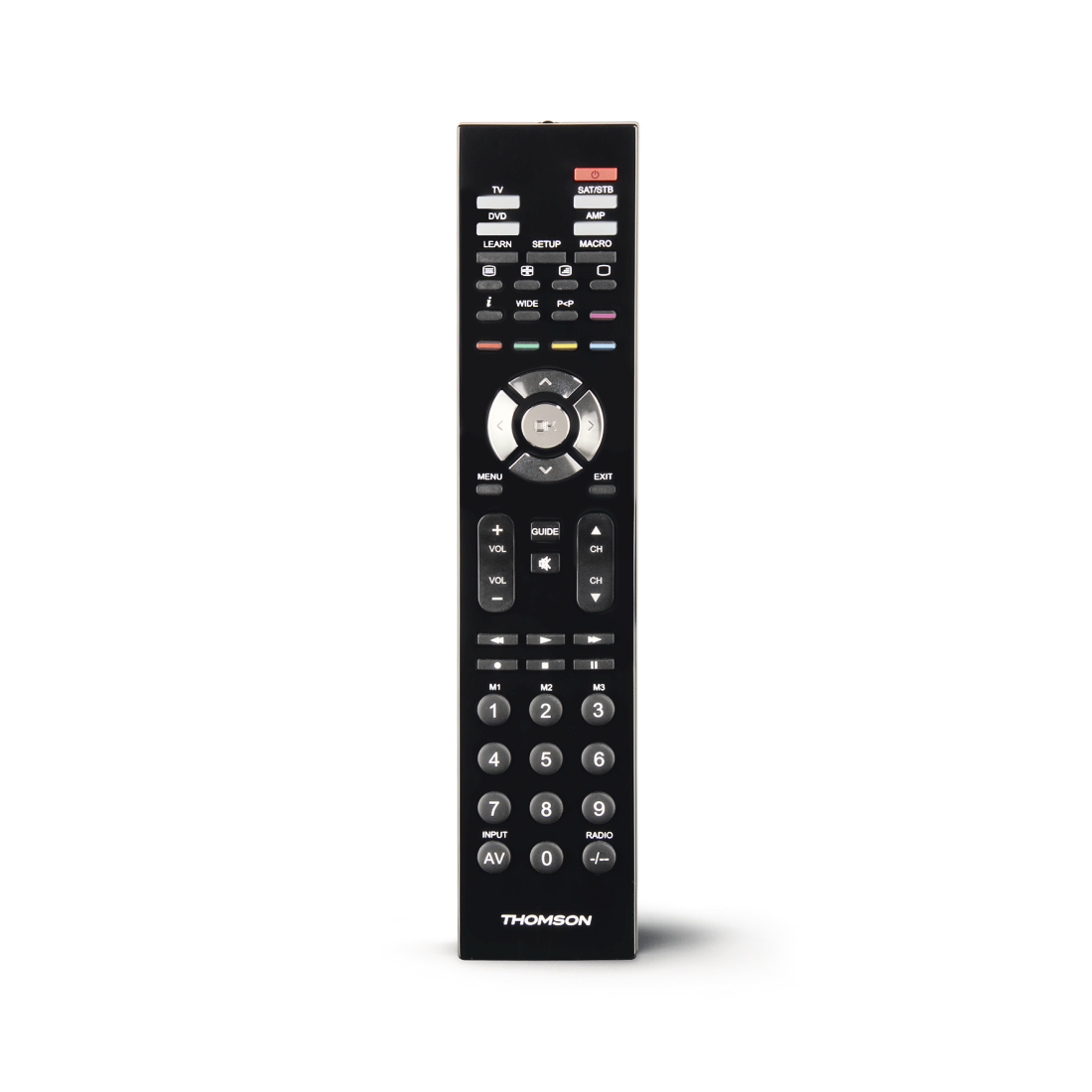
Thomson ROC4411 2-in-1 Universal Remote Control
Solutions & tips
Help & Guides

FAQs
Use the code search function of the remote control. In many cases identical devices are offered under different brand names. When the code search function is activated, all codes saved in the remote control are tested one after the other until the right code for the device has been found. If you cannot find an appropriate code for your device even after the code search function has been completed, you cannot control this device with this remote control. We continually test our remote controls in specialist shops with current devices and update the code lists with codes of new devices.
If your universal remote control has a learn function, you can read the desired functions in the memory of the universal remote control by means of the original remote control. Afterwards the universal remote control can give out these commands and control your device again.
If your universal remote control has a learn function, you can read the desired functions in the memory of the universal remote control by means of the original remote control. Afterwards the universal remote control can give out these commands and control your device again.
Use the code search function of the remote control. In many cases identical devices are offered under different brand names. When the code search function is activated, all codes saved in the remote control are tested one after the other until the right code for the device has been found. If you cannot find an appropriate code for your device even after the code search function has been completed, you cannot control this device with this remote control. We continually test our remote controls in specialist shops with current devices and update the code lists with codes of new devices.
If your universal remote control has a learn function, you can read the desired functions in the memory of the universal remote control by means of the original remote control. Afterwards the universal remote control can give out these commands and control your device again.
If your universal remote control has a learn function, you can read the desired functions in the memory of the universal remote control by means of the original remote control. Afterwards the universal remote control can give out these commands and control your device again.
Also test the other codes which are indicated under the manufacturer name. Device manufacturers sometimes use several similar codes which only differ in details. If you have selected a wrong code, the device can possibly be switched on but the volume adjustment does not function. All functions can be controlled with the right code. If this will bring no success, please use the code search function of the remote control. In many cases identical devices are offered under different brand names. When the code search function is activated, all codes saved in the remote control are tested one after the other until the right code for the device has been found. If you cannot find an appropriate code for your device even after the code search function has been completed, you cannot control this device with this remote control. We continually test our remote controls in specialist shops with current devices and update the code lists with codes from new devices.
If your universal remote control has a learn function, you can read the desired functions in the memory of the universal remote control by means of the original remote control. Afterwards the universal remote control can give out these commands and control your device again.
If your universal remote control has a learn function, you can read the desired functions in the memory of the universal remote control by means of the original remote control. Afterwards the universal remote control can give out these commands and control your device again.
No matches found
Try searching for another term, check the spelling, or adjust your filters.
Technical details
Technical Specs
| Design (Colour, Pattern, Motif, Series) | Colour | Black |
| Line | ROCx411 | |
| Shade of colour | Black |
| Connectivity (Connection) | Signal Transmission | Infrared |
| Electrospecific Properties | Frequency Range | 0 kHz - 400 kHz |
| Range | 16 m |
| Physical Properties | Material | Plastic Material |
| Number of Replaced Devices | 4 |
| Size & Weight | Length x Width x Depth | 21.3x4.5x2.5 cm |
| Weight without Rechargeable Battery/Battery | 85 g |
| Energy | Battery Type | AAA Micro |
| Number of Batteries | 2 | |
| Power Supply | Batteries |
| Field of Application | Suitable for | Universal |
| Suitable for | TV |